How to Transfer Etisalat Balance Code UAE
To transfer balance from Etisalat to Etisalat in the UAE, open your phone dialer and enter *100*05XXXXXXXX*Amount#. Then press the call button. To send AED 5 to another Etisalat prepaid number, for example, dial *100*05XXXXXXXX*5#.
This is the standard Etisalat balance transfer code for sending mobile credit to a local number. If you prefer not to use a USSD code, you can also use the e& UAE app.
Etisalat to Etisalat Balance Transfer Code
Use this Etisalat balance transfer code:
*100*Mobile Number*Amount#
Example:
*100*0501234567*10#
This example sends AED 10 to the Etisalat prepaid number 0501234567. After you dial the code, a confirmation message will normally display the transfer details. Press 1 to confirm or 2 to cancel.
| Purpose | Code |
|---|---|
| Transfer Etisalat credit locally | *100*05XXXXXXXX*Amount# |
| Request credit from another Etisalat user | *107*05XXXXXXXX*Amount# |
| Transfer Etisalat data | #100*05XXXXXXXX*Data in MB# |
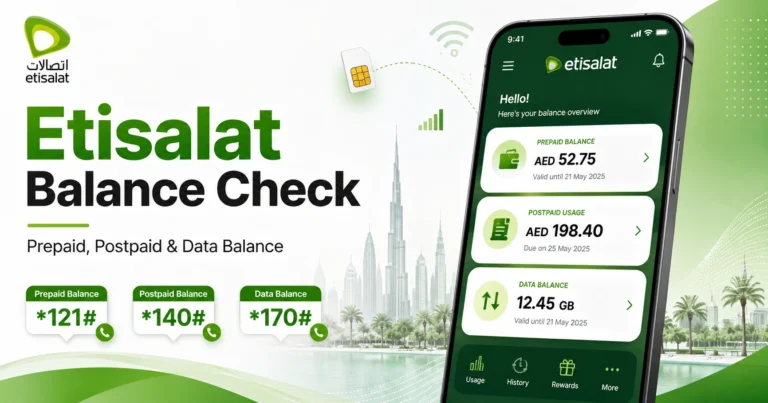
| Check Etisalat balance | *121# |
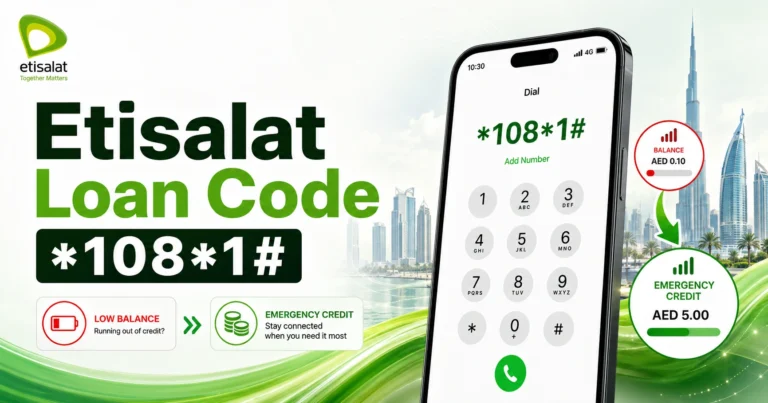
| Reserve credit | *108*1# |
What Is Etisalat Balance Transfer in UAE?
Etisalat balance transfer is a mobile credit-sharing service. It allows an e& UAE customer to send credit from one mobile account to another local Etisalat prepaid number.
The sender may be a prepaid or postpaid customer, while the receiver must have an active Etisalat prepaid account in the UAE.
This service can help when someone needs credit for calls, SMS, or a recharge. UAE residents may use it to help family members, workers, friends, or visitors who have run out of balance.
How to Transfer Etisalat Balance Using the Code
You can transfer Etisalat balance directly from your phone without opening an app. The method described here is intended for Etisalat prepaid and postpaid numbers in the UAE.
Step-by-Step Method
- Open your phone’s dialer.
- Enter
*100*. - Type the receiver’s Etisalat mobile number.
- Enter
*. - Type the amount in AED.
- Add
#. - Press the call button.
- Read the confirmation message carefully.
- Press
1to confirm or2to cancel.
Example Codes for Common Transfer Amounts
| Amount You Want to Send | Example Code |
|---|---|
| AED 2 | *100*0501234567*2# |
| AED 5 | *100*0501234567*5# |
| AED 10 | *100*0501234567*10# |
| AED 25 | *100*0501234567*25# |
| AED 50 | *100*0501234567*50# |
| AED 100 | *100*0501234567*100# |
For AED 10, use *100*0501234567*10#, replacing the example number with the recipient’s actual Etisalat prepaid number.
Check the mobile number before confirming. A transfer sent to the wrong number may not be easy to reverse.
How to Transfer Etisalat Balance Using the e& UAE App
The e& UAE app offers another way to send credit to friends or family. It may be more convenient if you do not want to remember a USSD code.
Open the e& UAE app and look for the recharge, payment, or credit-sharing section. Choose the balance transfer option, enter the recipient’s Etisalat prepaid number, select the amount, and confirm the transaction.
The app can be useful for customers who already manage their account, bills, recharges, and packages there. It also lets you review the number and amount on screen, which can help reduce typing errors.
Etisalat Balance Transfer Charges and Limits
Local Etisalat balance transfer is not free. The sender pays a transaction fee in addition to the amount being transferred.
The recipient receives the full amount entered for the transfer. The service charge is deducted from the sender’s account.
| Transfer Type | Minimum Amount | Daily Maximum | Monthly Maximum |
|---|---|---|---|
| Prepaid to prepaid | AED 2 | AED 150 | AED 1,500 |
| Postpaid to prepaid | AED 2 | AED 150 | AED 1,500 |
Etisalat Balance Transfer Fee Explained
The local Etisalat balance transfer fee is 5.25% of the amount sent, including VAT.
If you transfer AED 100, the recipient gets AED 100 and AED 105.25 is deducted from your account.
| Amount Sent | Transfer Fee | Total Deducted from Sender | Receiver Gets |
|---|---|---|---|
| AED 5 | AED 0.26 | AED 5.26 | AED 5 |
| AED 10 | AED 0.53 | AED 10.53 | AED 10 |
| AED 25 | AED 1.31 | AED 26.31 | AED 25 |
| AED 50 | AED 2.63 | AED 52.63 | AED 50 |
| AED 100 | AED 5.25 | AED 105.25 | AED 100 |
The fee is important if you transfer credit frequently. Before sending a larger amount, check that your balance covers both the amount sent and the service charge.
Who Can Send and Receive Etisalat Balance?
Active e& UAE prepaid and postpaid customers can send Etisalat balance. The recipient must have an active Etisalat prepaid account.
In other words, a postpaid customer may send credit, but a local postpaid number generally does not receive transferred credit in the same way as a prepaid number.
| User Type | Can Send Credit? | Can Receive Local Credit? |
|---|---|---|
| Etisalat prepaid | Yes | Yes |
| Etisalat postpaid | Yes | Usually no, local credit is for prepaid receivers |
| Etisalat visitor prepaid line | Usually yes if active | Yes if active |
| du number | No, not through Etisalat local transfer code | No |
| Virgin Mobile number | No, not through Etisalat local transfer code | No |
| International prepaid number | Use international transfer method | Depends on supported country and operator |
What to Check Before Sending Balance
Most transfers are straightforward, but an incorrect number, insufficient balance, or unsupported account can cause a failed or incorrect transaction. Check the following details first.
Make sure the recipient’s number uses a valid UAE mobile prefix, such as 050, 052, 054, or 056, or another active UAE mobile range used by e&.
Confirm that the recipient has an Etisalat prepaid number. The local code will not work for a number on another UAE network.
Check your available balance. It must cover the amount you want to send as well as the 5.25% transfer fee.
How to Request Etisalat Balance from Another Number
If you have run out of credit, you can request balance from another Etisalat user. This request service is available to prepaid customers.
Dial:
*107*05XXXXXXXX*Amount#
Example:
*107*0501234567*10#
This sends a request asking the other Etisalat user to transfer AED 10 to your number. The recipient receives the request and can complete the transaction using the usual Etisalat balance transfer code.
This option can help when you cannot make a call or send a regular message because you have no credit. It may be useful for workers, students, families, and others who share mobile credit.
Etisalat Balance Transfer vs Etisalat Data Transfer
Balance transfer and data transfer are separate services with different codes.
Balance transfer sends mobile credit in AED, while data transfer sends internet data in MB or GB.
| Feature | Balance Transfer | Data Transfer |
|---|---|---|
| What it sends | Mobile credit in AED | Internet data |
| Main code | *100*Number*Amount# | #100*Number*Data in MB# |
| Example | *100*0501234567*10# | #100*0501234567*1000# |
| Receiver | Local prepaid Etisalat number | Eligible e& UAE prepaid or postpaid number |
| Best for | Calls, SMS, recharge support | Internet usage |
| Fee | 5.25% of transfer amount | Charged per data transfer |
Choose balance transfer when the recipient needs mobile credit. Choose data transfer when the recipient needs internet access.
How to Transfer Etisalat Data to Another Etisalat Number
To transfer Etisalat data, dial:
#100*Receiver Number*Data in MB#
Example:
#100*0501234567*1000#
This sends 1,000 MB, or approximately 1 GB, to the recipient.
You can also transfer data through the e& UAE app or by dialling #100# and following the menu. Data transfer is intended for someone who needs internet data rather than calling credit.
Etisalat Data Transfer Limits and Validity
Etisalat data can usually be shared in multiples of 100 MB. Prepaid customers may have more flexibility, while postpaid customers may have per-transfer limits based on their plan.
Transferred data is normally valid for 10 days. The recipient’s phone uses the transferred data before other regular data allowances.
| Data Transfer Rule | Details |
|---|---|
| Transfer unit | Multiples of 100MB |
| Example for 1GB | 1000MB |
| Receiver validity | 10 days |
| Usage order | Transferred data is used first |
| Minimum remaining sender data | Sender should keep at least 100MB |
| Usage check code | *121*170# |
How Much Does Etisalat Data Transfer Cost?
Etisalat data transfer has a separate charge from balance transfer. The fee is usually AED 3 per 100 MB.
For prepaid customers, the fee is deducted from the mobile balance. For postpaid customers, it is added to the monthly bill.
| Data Sent | Approximate Fee |
|---|---|
| 100MB | AED 3 |
| 500MB | AED 15 |
| 1000MB | AED 30 |
| 2000MB | AED 60 |
Before transferring data, compare the cost with buying a data bundle for the recipient. For a larger amount, a direct recharge or package activation may be more suitable.
How to Transfer Etisalat Balance to International Numbers
Etisalat also supports international credit transfers from a UAE Etisalat number to selected prepaid mobile numbers abroad. This can help UAE residents recharge family members overseas.
You can begin an international transfer in two common ways:
- Use the e& UAE app.
- Send the international prepaid number, including its country code, to
1700.
Enter the complete international number with its country code and send it to 1700. Available recharge amounts and AED charges will be provided before you confirm.
Local vs International Etisalat Balance Transfer
A local transfer sends AED credit to an Etisalat prepaid number in the UAE. An international transfer sends airtime to a supported prepaid number outside the UAE.
| Feature | Local Etisalat Transfer | International Transfer |
|---|---|---|
| Receiver | UAE Etisalat prepaid number | Supported prepaid number abroad |
| Main method | *100*Number*Amount# | Send international number to 1700 |
| Currency | AED credit | Destination country airtime |
| Fee | 5.25% local fee | No extra transfer fee, but rates vary |
| Best for | UAE friends and family | Family abroad |
For an international transfer, the final AED cost depends on the destination country, operator, and available denominations. Review the confirmation message before approving the transaction.
Why Etisalat Balance Transfer Is Not Working
A failed Etisalat balance transfer may result from an incorrect code, an unsupported recipient number, insufficient balance, or a transfer limit.
Try the following checks before contacting support.
1. Check the USSD Format
Use this format:
*100*05XXXXXXXX*Amount#
Enter the code in the phone dialer. Do not send it as an SMS. Submit it with the call button.
2. Confirm the Receiver Is Etisalat Prepaid
Local balance transfer is intended for Etisalat prepaid recipients. A transfer may fail if the number is postpaid, belongs to du or Virgin Mobile, or is linked to an inactive SIM.
3. Check Your Available Balance
Your balance must cover the transfer amount plus the 5.25% fee. To send AED 100, you should have at least AED 105.25 available.
4. Check the Transfer Limit
The stated maximum is AED 150 per day and AED 1,500 per month. If you have reached a limit, wait for it to reset.
5. Try Again After Checking Your Connection
Temporary network problems can affect USSD services. Check your signal, restart the phone, and try the code again.
6. Use the e& UAE App
If the USSD code continues to fail, try the e& UAE app. It may display additional information about your account, balance, or eligibility.
Common Mistakes to Avoid
Balance transfer is different from recharge. A balance transfer moves credit from your mobile account to another prepaid account, while a recharge adds credit through a payment method, voucher, or online top-up.
Do not use the data transfer code when you want to send AED credit. Data transfer sends MB, while balance transfer sends mobile credit.
Read the confirmation message before approving the transaction. Check the number and amount before pressing 1.
Remember that the service is not free. The sender pays the local balance transfer fee.
Choosing the Best Transfer Method
The most suitable Etisalat balance transfer method depends on your preference and how often you use the service.
| Situation | Best Method |
|---|---|
| Send AED credit to local Etisalat prepaid number | Dial *100*Number*Amount# |
| Send balance without remembering codes | Use e& UAE app |
| Ask someone to send you credit | Dial *107*Number*Amount# |
| Send internet data | Dial #100*Number*Data in MB# |
| Recharge family outside UAE | Send international number to 1700 |
| Need emergency borrowed credit | Dial *108*1# |
For many UAE users, the USSD code is the quickest option. If you transfer credit regularly, the e& UAE app may be easier because it lets you review the details on screen.
Etisalat Balance Transfer Safety Tips
Although balance transfer is convenient, treat it like a payment. Once confirmed, the amount is deducted from your account.
Send credit only to numbers you recognize. If someone requests balance through an unknown call, SMS, WhatsApp message, or social media account, verify their identity first.
Watch for fake messages claiming to represent Etisalat or e&. Never share OTPs, app passwords, UAE Pass details, or payment card information.
Final Checklist Before You Transfer Etisalat Balance
Before you confirm the transfer, check the following:
- The recipient’s mobile number is correct.
- The recipient uses an Etisalat prepaid SIM.
- The amount is within the applicable transfer limit.
- Your balance covers both the amount and the fee.
- The confirmation message contains the correct details.
When all details are correct, press 1 to confirm. If anything is wrong, press 2 to cancel and begin again.
FAQs
How do I transfer balance from Etisalat to Etisalat?
Dial *100*05XXXXXXXX*Amount# from the phone dialer and press call. Replace the example number with the recipient’s Etisalat prepaid number and enter the amount in AED. Review the confirmation message, then press 1 to confirm or 2 to cancel.
What is the Etisalat balance transfer code in the UAE?
The code is *100*Mobile Number*Amount#. For example, *100*0501234567*10# sends AED 10. Enter the code in the phone dialer rather than sending it as an SMS. The recipient should be an Etisalat prepaid customer.
Can I transfer Etisalat balance from postpaid to prepaid?
Yes. Etisalat postpaid customers can transfer balance to local Etisalat prepaid numbers using *100*Number*Amount# or the e& UAE app. The transferred amount and service fee are billed or deducted according to the sender’s account type.
How much does Etisalat charge for balance transfer?
The local balance transfer fee is 5.25% of the amount sent, including VAT. When you send AED 100, the recipient gets AED 100 and AED 105.25 is deducted from your account. Keep enough balance for the transfer and fee.
Why is my Etisalat balance transfer not working?
The transfer may fail because the code is incorrect, the recipient is not an Etisalat prepaid customer, your balance is insufficient, or you have reached a daily or monthly limit. Check the number, amount, balance, and confirmation message before trying again.
Can I request balance from another Etisalat user?
Yes. Prepaid customers can request credit by dialling *107*05XXXXXXXX*Amount#. The other Etisalat user receives a request message and can send the credit using the standard balance transfer code.
Can I transfer Etisalat data instead of balance?
Yes. Etisalat data transfer uses #100*Receiver Number*Data in MB#. For example, dial #100*0501234567*1000# to send approximately 1 GB. This is different from balance transfer because it sends internet data rather than AED credit.
Can I transfer Etisalat balance to an international number?
Yes. Etisalat supports international credit transfers to selected prepaid numbers abroad. You can use the e& UAE app or send the international number with its country code to 1700. Available denominations and AED charges are shown before confirmation.